

Reference

zo777 App and Mobile Browser Access

zo777 runs on your phone browser right now — no install required to reach the lobby, whether you're in Karachi or anywhere else in Pakistan where access is permitted under local law.

Mobile Browser ReadyAccount Wallet AccessApp Availability CheckDevice ContinuityPakistan Access
zo777 zo777 App and Mobile Browser Access
zo777 Mobile Access in 3 Steps

Mobile Access in 3 Steps

Getting into the zo777 lobby on your phone does not depend on finding us in an app store. The current browser path is straightforward and keeps your account data tied to your login, not your device. Open the zo777 address in your mobile browser — Chrome on Android and Safari on iOS both work without any extra settings. Check that your browser

is reasonably up to date; an older version may not render the live casino stream correctly. Sign in with your account credentials or use fingerprint login if you have already set it up. From there, your full wallet — including any Raast or Easypaisa balance you have deposited — is available alongside the complete game lobby.

  • Open zo777 — Type the address directly into your mobile browser. Bookmark it after your first visit so you're not searching for it each time.
  • Check Browser Compatibility — Chrome, Safari, and most modern Android browsers work. If live tables stutter, try switching to Chrome and clearing the cache first.
  • Sign In Securely — Use your account password or biometric login. An OTP may be sent to your registered number as a second verification step.
  • Verify App Availability — Check the current site or your account notification centre to see if a native Android or iOS app build is currently offered for download.
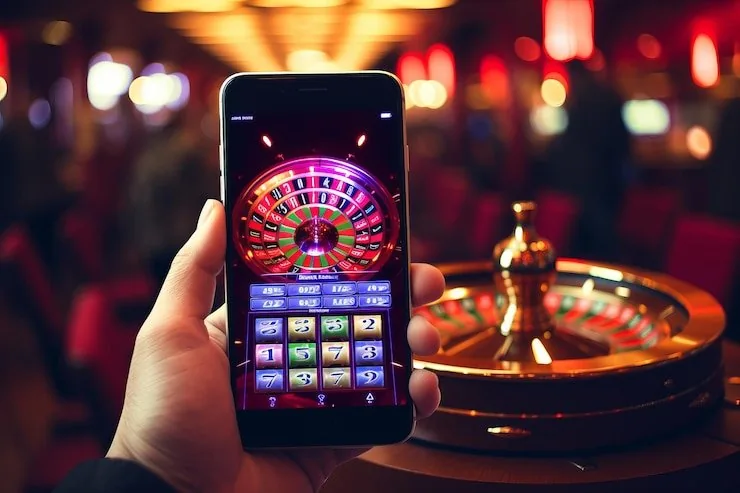
APP FEATURE SNAPSHOT

Key Features on the zo777 App

Four things that make a real difference when you're using zo777 on your phone rather than a desktop browser.

Fingerprint Login Skip typing your password on return visits. Biometric authentication works on any Android or iOS device that supports it, getting you back into the lobby quickly.
Push Notifications Get a nudge when your JazzCash or Easypaisa deposit clears, or when a live table you follow opens a new seat. You control which alerts come through.
Dark Mode Display The interface switches to a darker layout automatically if your phone's system theme is set to dark. Easier on the eyes during late-night sessions on the lobby.
Offline Lobby Preview Your recent game history and wallet balance load from cache if your connection drops briefly, so you're not staring at a blank screen while the signal recovers.
DEVICE COMPATIBILITY CHECK

Supported Devices and Browser Requirements

Most phones sold in Pakistan in the last three to four years will run the zo777 mobile lobby without issues. Here is what to check if something is not loading correctly.

Method Payout time Speed
Browser Version Use a browser released in the last two years. Outdated browsers may block the live casino stream or cause the game lobby to load slowly. Fast
Screen Layout The lobby reflows for portrait and landscape orientations. Live casino tables and crash games like Crash Rush are optimised for portrait on smaller screens. Fast
Account Requirements A verified zo777 account is required to access the full lobby. Complete your account profile and wallet verification before your first deposit via JazzCash, Easypaisa, or Raast. Medium
Currently Supported Devices Check the zo777 site footer or your account help section for the current list of confirmed compatible devices and operating system versions. Medium
Availability by Region Mobile access to zo777 depends on local law and is available only in eligible regions. Confirm that access is permitted under the rules that apply where you are. Slow
zo777 Inside the zo777 Mobile Experience

Inside the zo777 Mobile Experience

The mobile interface puts Crash Rush, Teen Patti Classic, and live baccarat tables in front of you within seconds of opening the site. Push notifications let you know when a live table seat opens or when your deposit from JazzCash clears. Quick deposit keeps your wallet topped up in a couple of taps — open your JazzCash or Easypaisa app, send to

the account number shown, confirm with your PIN, and the balance lands in your zo777 wallet. Fingerprint login skips the password screen on return visits, so getting back into the lobby is faster than unlocking a group chat.

zo777 App — Frequently Asked Questions

Straight answers to the questions we get most often about the zo777 mobile experience.

No download is needed right now. Open zo777 in your mobile browser and you reach the full lobby. Check the site for updates on any native app build we release.

After signing in once with your password, go to account security settings and enable biometric login. Your phone's fingerprint sensor handles it from the next visit onward.

Yes. Your account, wallet balance, and game history stay synced. Sign in on any device and you pick up exactly where you left off, including any pending Raast or Easypaisa deposits.

Try switching to Chrome and clearing the browser cache. A slow or congested connection can also interrupt the stream — connecting via Wi-Fi rather than mobile data usually helps.

Yes. The deposit flow works in the mobile browser the same way it does on desktop. Open your JazzCash app, send to the account number shown, confirm your PIN, and the balance appears in your zo777 wallet.

We do not publish unofficial APK files. Check the zo777 site or your account notifications for any officially released app build before downloading anything from a third-party source.
Reference

zo777 App

Service availability depends on eligible regions and local law. Users should check local rules before opening an account.

Access may be available only where local law permits.